In today’s digital landscape, video content has become an essential part of communication, marketing, and storytelling. Whether you’re a seasoned filmmaker, a budding YouTuber, or just someone who wants to create captivating videos for social media, having the right video editing software is crucial. Fortunately, there are several free video editors available that strike a balance between automation and creative control. This guest post will explore the best options, the features that make them stand out, and how to choose the right one for your needs.
Balancing automation and creative control
When selecting a free video editor, it’s essential to find one that offers a balance between automation features and creative control. Automation can help streamline your workflow, but creative control is vital for expressing your unique style and vision. Here are some key features to consider:
Intuitive interface: A user-friendly interface can make it easier to navigate through the editor, especially for beginners. Look for editors that provide drag-and-drop functionality and clear menus.
Templates and presets: Automation features like templates and presets can save time on common tasks, such as transitions and effects. However, it’s essential that these tools allow for customization, so you can infuse your style into the edits.
Advanced editing tools: Creative control comes from having access to advanced tools like keyframe animation, color grading, and audio editing. These features allow you to make precise adjustments to your video and audio tracks.
Export options: Ensure that the editor offers various export formats and settings to suit your intended platform, whether it’s for YouTube, social media, or a personal project.
Top free video editors
Here’s a closer look at some of the best free video editors that balance automation and creative control:
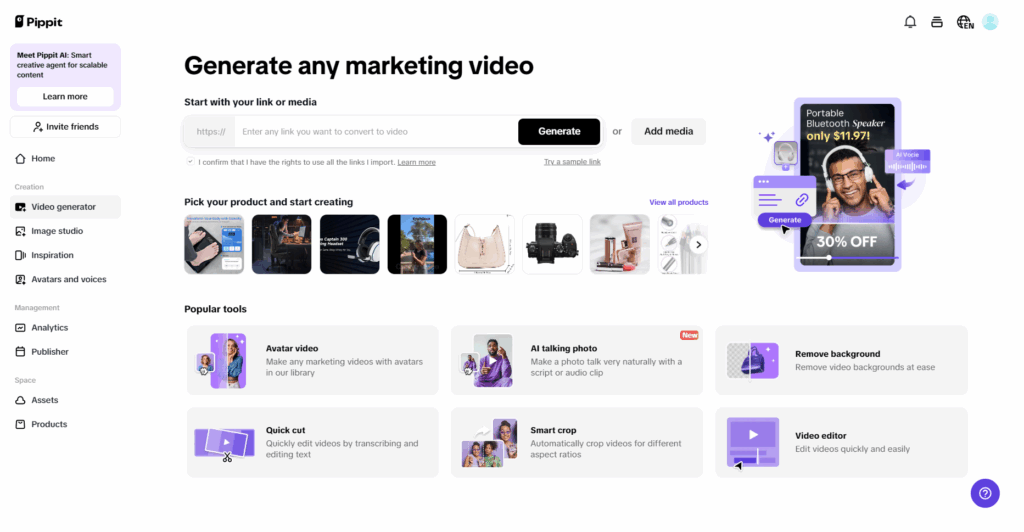
1. Pippit
Overview: Pippit is a user-friendly video editing tool designed specifically for eCommerce creators and marketers. This powerful tool is tailored to meet the unique needs of businesses looking to enhance their online presence through engaging video content. With a focus on promoting products and brands, Pippit streamlines the video creation process, enabling users to produce high-quality promotional content with ease. Whether you’re crafting product showcases, social media ads, or tutorial videos, Pippit offers the tools necessary to make your vision come to life.
Automation Features: Pippit includes a variety of templates and pre-set effects that simplify the editing process. Its automated tools help streamline workflows, making it easy to produce high-quality videos quickly.
Creative Control: The platform allows users to customize templates, add text overlays, and utilize advanced editing features like keyframe animations and audio syncing. This flexibility empowers creators to make their videos stand out.
2. HitFilm Express
Overview: HitFilm Express combines video editing and visual effects compositing, making it an excellent choice for creators who want to add a cinematic touch to their projects. With a robust suite of tools, it caters to both amateur filmmakers and seasoned professionals looking to enhance their storytelling. The software supports a wide range of formats, allowing users to work with high-definition footage seamlessly. Additionally, HitFilm Express provides an extensive library of visual effects and tutorials, helping users learn and improve their skills while creating stunning videos.
Automation Features: The software includes pre-set effects and templates for quick editing, allowing users to achieve professional-looking results without extensive knowledge of editing techniques.
Creative Control: HitFilm Express provides a wide range of tools for audio and video editing, including keyframe animation, 3D modeling, and advanced color correction options, giving users the flexibility to create unique content.
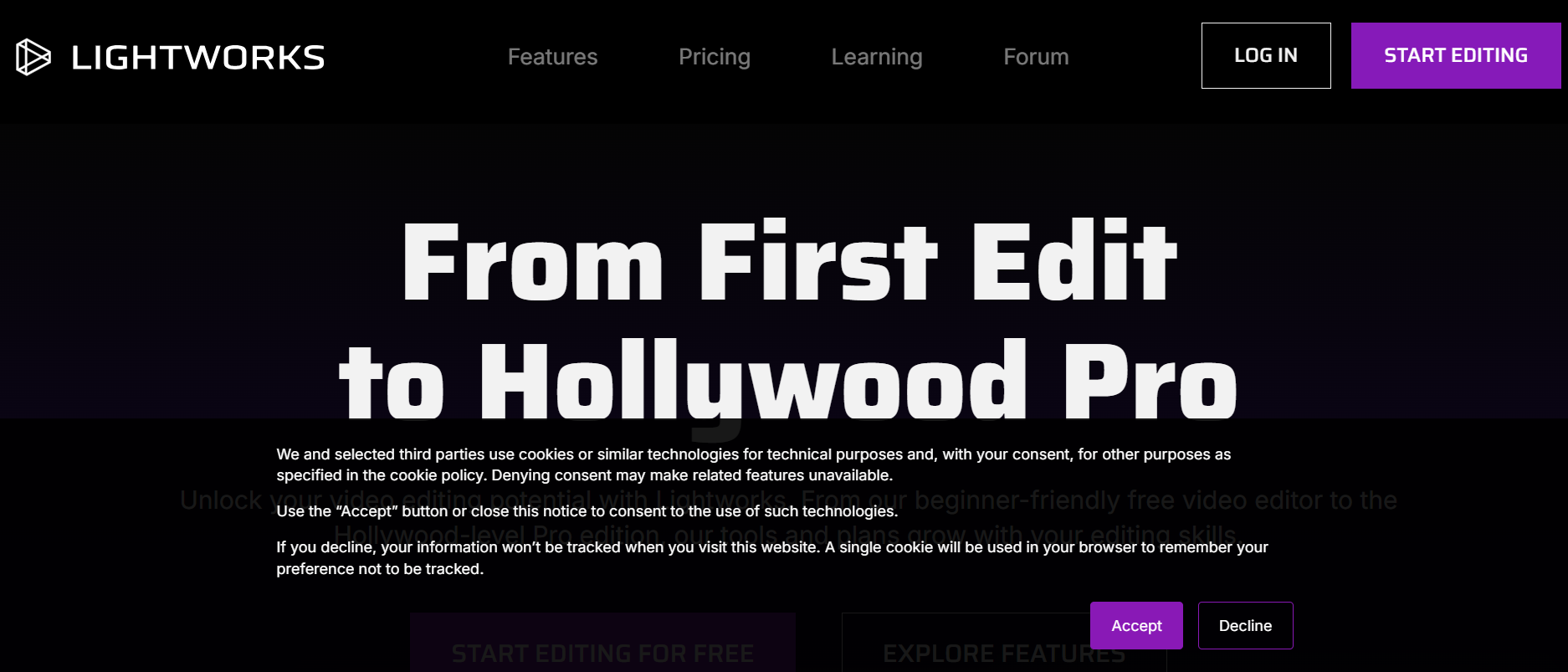
3. Lightworks
Overview: Lightworks is a powerful video editor that has been used in Hollywood productions, boasting a reputation for its professional-grade capabilities. The free version offers a robust set of features suitable for both amateur and professional filmmakers, allowing users to create high-quality videos with ease. With its non-linear editing system, Lightworks provides flexibility in arranging clips and making real-time edits. The software supports a wide range of file formats and resolutions, ensuring compatibility with various media sources.
Automation Features: Lightworks includes various automatic editing tools that help streamline the editing process, making it easier to manage large projects.
Creative Control: Users can access advanced features like real-time effects, multi-cam editing, and a comprehensive suite of audio tools, allowing for detailed customization of their videos.
4. Shotcut
Overview: Shotcut is an open-source video editor that is known for its versatility and extensive format support, making it an excellent choice for a wide range of projects. It offers a straightforward, no-frills editing experience that caters to both beginners and experienced users alike. With a modular interface, users can customize their workspace to focus on the tools they use most, enhancing efficiency during the editing process.
Automation Features: The software offers features like automatic audio and video synchronization, which can save time during the editing process.
Creative Control: Shotcut provides a range of filters and effects, as well as customizable transitions and keyframe animations, allowing users to create videos that reflect their style.
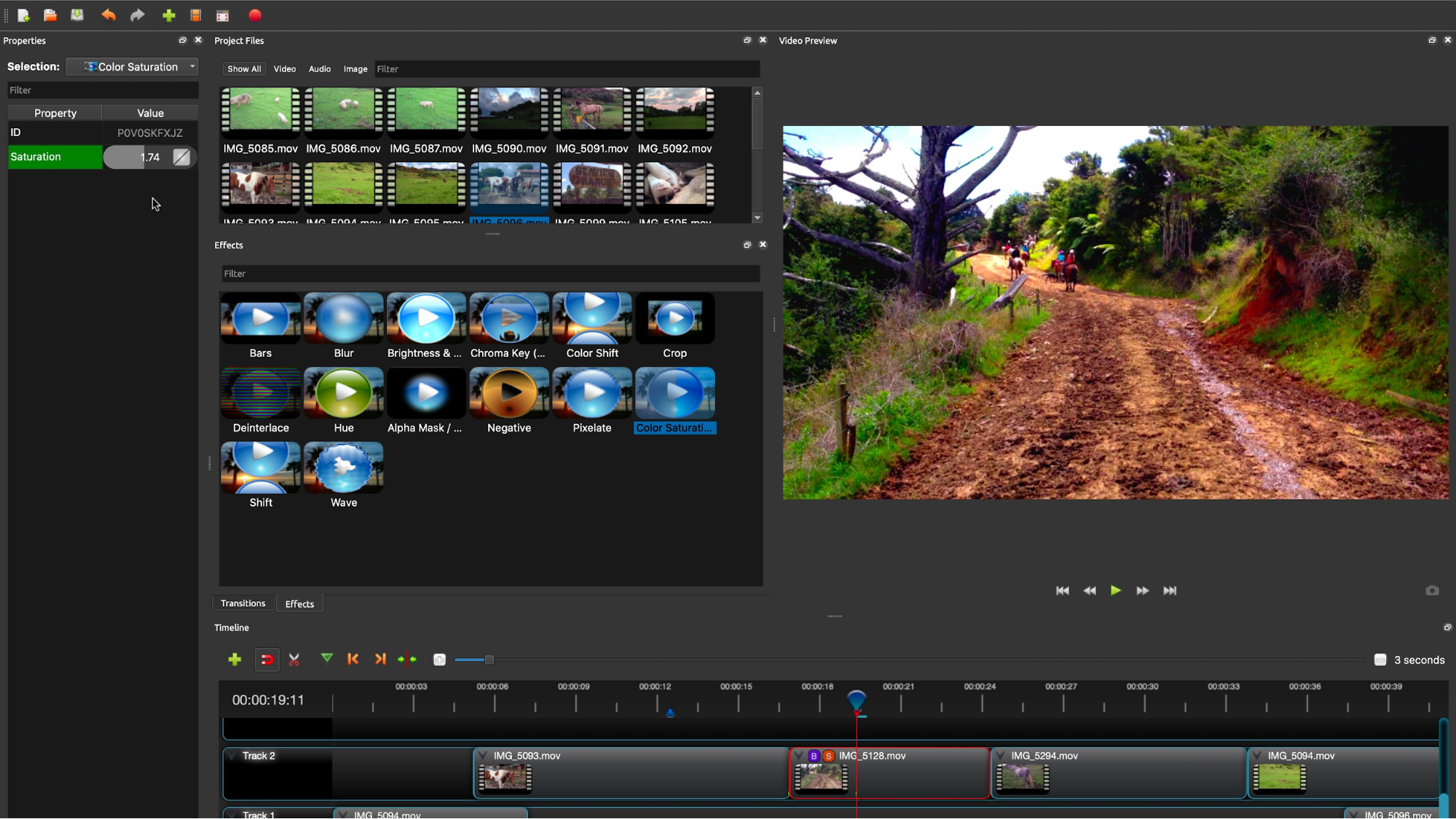
5. OpenShot
Overview: OpenShot is a user-friendly video editor that is perfect for beginners looking to create simple yet effective videos. Its intuitive drag-and-drop interface makes it easy to import media, arrange clips, and apply effects without requiring extensive editing knowledge. OpenShot supports a variety of video, audio, and image formats, ensuring compatibility with various media types. The software includes a rich library of transitions, titles, and effects that users can easily incorporate into their projects, allowing for creative expression.
Automation Features: It features a drag-and-drop interface and built-in templates for easy editing, making it accessible for those new to video production.
Creative Control: OpenShot allows users to apply keyframe animations and add effects and transitions, providing room for creative expression while keeping the editing process straightforward.
Choosing the Right Video Editor
When selecting a free video editor, consider the following factors:
- Your Skill Level: If you’re a beginner, you might prefer an editor with a simpler interface and basic automation features. As you gain experience, you can explore more advanced tools.
- Type of Projects: Consider the types of videos you plan to create. If you’re focusing on narrative storytelling, an editor with strong audio editing capabilities might be essential. For visual effects-heavy projects, look for software that excels in compositing.
- System Requirements: Ensure that your computer meets the software’s system requirements. Some editors may require higher processing power and memory, especially when handling 4K footage or complex effects.
- Community and Support: A strong user community and support resources, such as tutorials and forums, can be invaluable when learning how to use new software. Look for editors that have a wealth of online resources.
Conclusion
Choosing the right free video editor is crucial for anyone looking to create engaging video content. By balancing automation with creative control, you can streamline your workflow while still expressing your unique style. Whether you opt for Pippit’s tailored features for eCommerce or OpenShot’s user-friendly design, the right editor can help you bring your vision to life. Experiment with different options to find the one that suits your needs best, and start creating videos that captivate and inspire your audience. Happy editing!
About Author