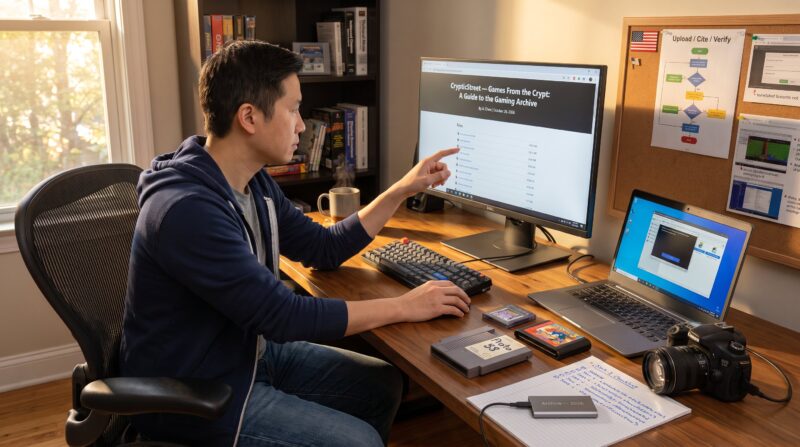
How to Browse the Games From the Crypt Archive begins with one clear fact: the phrase refers mainly to a curated set of posts and retro horror game write‑ups, not a single centralized ROM repository. Readers who want vintage spooky games need a reliable way to find which posts cover a title, which sites host playable builds, and which emulators work best. This guide shows practical steps to locate entries in the Games From The Crypt category, filter by platform and year, and move safely from article to playable game.
Key Takeaways
- The Games From The Crypt Archive on Crypticstreet is a curated collection of articles about retro horror games, not a ROM repository, helping players find accurate platform and emulation details.
- Use precise search terms including game title, platform, and year to efficiently locate relevant posts and filter by date for updated emulator settings and downloads.
- Always read article notes for rights-cleared releases and verified hosts to avoid legal issues and technical risks when downloading games from the archive.
- Employ recommended emulators like DOSBox or WinUAE and follow checklist steps, including verifying file hashes and running in a sandbox, to ensure safe gameplay.
- Cross-reference game titles with specialized retro archives and community forums to confirm file integrity and emulator configurations, saving setup time.
- Expect some links to vanish over time; use article metadata and alternative hosts suggested to continue accessing playable retro horror games safely.
What The Games From The Crypt Archive Is And Why It Matters
Fact first: the Games From The Crypt Archive is a content category and a cluster of curated articles about horror and retro titles rather than a single download library. Crypticstreet groups in‑depth posts under this tag to help collectors and players discover obscure DOS, Amiga, and early console experiences. Why this matters: a curated archive reduces wasted time. Instead of sifting through dozens of random retro lists, visitors land on focused articles that name platforms, cite release years, and link to technical resources.
Practical detail: Crypticstreet’s category pages often list dozens of posts with screenshots, release notes, and author commentary. For example, a write‑up might note a 1992 DOS build, include a screenshot showing a red‑black title card, and explain whether the game runs in modern DOSBox without extra tweaks. That level of specificity matters when a player wants to test a game in 10 minutes rather than troubleshoot for hours. The curator’s role is to connect readers to primary resources, historical context, and playable options, making the archive an efficient discovery layer for spooky, retro gaming.
Vulnerable moment: editors sometimes link to external host pages that later vanish. When a referenced download link disappears, the article usually includes alternate host names or emulator tips. He should expect broken links occasionally and use the article metadata (date, platform) to search elsewhere if needed.
How To Access The Archive: Step‑By‑Step Walkthrough
Answer up front: access the Games From The Crypt Archive by opening Crypticstreet and navigating to the Games From The Crypt category or using the site search. Step 1: open https://crypticstreet.com and scan the main menu for “Games From The Crypt” under Categories. Step 2: use the site search box with a precise query such as the game title plus platform (for example: “Horror Zombies from the Crypt DOS”). Step 3: open a relevant post and read the platform notes and links near the top of the article.
Concrete example: a reader searching for a 1991 Amiga horror title will type the title and “Amiga” into the search bar, then filter results by date to find the most recent compatibility notes. If the article mentions emulation settings, those appear in a dedicated section and save significant setup time.
Practical anchor: hobbyists who want a broader orientation often begin with an archive guide on CrypticStreet that outlines the category structure and common host sites. That guide explains where posts typically link for DOS, Amiga, and Atari ST builds and shows the most reliable emulation paths.
Warning: do not click unknown executables right away. First, read the article’s platform notes and look for rights‑cleared or official releases. If no safe host is listed, use reputable retro repositories or community forums to confirm file integrity.
Smart Browsing Techniques To Find The Games You Want
Direct answer: search with tight keywords, filter by date, and cross‑check titles on dedicated retro sites. Technique 1, Precision search: use the exact game name plus platform and year (e.g., “1994 DOS survival horror”) in Crypticstreet’s search bar. Technique 2, Filter by recent posts: newer articles often include updated emulator settings and working mirrors. Technique 3, cross‑reference: when a Crypticstreet post names a title, search that title on specialized archives like MyAbandonware or Lemon Amiga for technical files and checksums.
Practical tip: use short, consistent anchor terms in other site searches. For instance, if a Crypticstreet post lists a floppy image and an author note, the same title in a retro repository may include MD5 hashes and community comments about which DOSBox settings work. That detail prevents hours wasted on trial‑and‑error. Another tactic: read the first and last 100 words of a post, the author often highlights platform quirks and where to get working copies.
Related internal links: readers tracking updates to guides should consult a post explaining how to track updates for older write‑ups. For recent posts and quick discovery, the page about finding new posts gives shortcuts to RSS and category feeds.
Vulnerable lesson: once he followed a mirrored download that lacked checksums and ended up with a corrupted image. The lesson: prefer sources that list checksums or community verification notes.
Downloading, Emulation And Legal/Safety Considerations
Clear point: downloading old games can be legally gray and technically risky: choose rights‑cleared releases and reputable emulators. Legal detail: many retro games remain under copyright even if no commercial seller exists. He should prefer official re‑releases (GOG, Steam) or releases explicitly cleared by rights holders. When an article links to abandonware sites, treat that as informational rather than legal advice.
Technical safety: use verified emulators such as DOSBox for DOS titles or WinUAE for Amiga images, and download those emulators from their official projects. Avoid unknown executables from random file hosts. To back that claim, users can review general security best practices on industry pages about security practices, which outline account protection and safe download habits relevant to avoiding scams and malware when dealing with third‑party hosts.
Practical checklist before running a ROM or image:
- Verify the file hash if the host provides it.
- Read the Crypticstreet post notes for required BIOS or settings.
- Run the file in a sandbox or virtual machine first, when possible.
Where to find technical help: Crypticstreet articles often list the recommended emulator and a short command line for DOSBox. For additional step‑by‑step guides and community notes, consult the site page that digs into game reviews and guides. Also, the post titled Games From The Crypt Crypticstreet contains examples of platform‑specific tweaks used in real tests.
Honest assessment: even with precautions, trying rare images requires patience. Expect a 15–90 minute setup for many titles if he needs custom config tweaks or disk mounting.
Conclusion
Insight: the Games From The Crypt Archive at Crypticstreet functions as a discovery and guidance layer that links readers to playable retro horror games, not as a unified ROM repository. Use precise search terms, check article platform notes, prefer rights‑cleared downloads, and follow emulation checklists to reduce risk. For ongoing discovery and archive context, the site also offers pieces on unlocking retro content and the broader gaming future that help place individual posts in a larger research workflow.
About Author