A one-camera day is honest. You get the interview, the founder at the table, the product in someone’s hands. What you do not get is coverage: the walk-up, the room geography, the three-second hold that makes a cut feel directed instead of desperate.
Most advice at this point is “fix the clip.” Color grade the talking head. Stabilize the handheld. Remove the parked car. That is editing. It can help. It will not invent the second unit you never hired.
The more useful move in 2026 is to treat the shoot as a kit, then direct a short cinematic insert — fifteen to thirty seconds — from those stills, clips, and a music cue. The original footage stays the A-roll. The generated beat is the coverage you would have asked a second camera for if the budget existed.
This is not a Premiere tutorial, and it is not a magic “make my raw file cinematic” button. It is a planning habit.
Why coverage is a different job from polishing the master
Desktop suites still matter when you are cutting a real conversation. Browser editors still matter when you need to crop, caption, or clean a frame. Neither of those jobs is “write the missing shot.”
A missing shot has geography, a beginning, and a hold. Eight-second wiggle tools give you a pretty fragment. Stitching five fragments gives you five rooms. What you want is one continuous insert that still looks like the person and the place you actually photographed.
That is generation with references, not rotoscoping. Keep the two lanes separate or you will prompt an editor like a director and a director like an editor.
Plan the insert before you generate
Jumping into a prompt because the talking head feels cheap is how you get a sunset rooftop that does not match the office you filmed.
Step 1: Watch the A-roll for holes, not for filters
Play the interview or demo once. Mark the seconds where the cut wants to leave the face: a claim that needs proof, a product mention, a pause that is too long, an opening that has no geography.
Step 2: Write the job of the insert in one sentence
Examples that survive a generate:
- “Establish the studio, then land on the same red kettle.”
- “Walk the aisle, hold on the labeled jar, no new logo.”
- “Leave the talking head, show the workshop, return-ready hold for a lower third.”
If the sentence is “make it cinematic,” you do not have a job yet.
Step 3: Build a small kit from what you already shot
Pull stills from the same day: face, three-quarter, product, room. If you have a five-second handheld pan that is ugly but true, keep it as motion reference. If you have a music bed you actually own, keep it as pace. Conflicting jackets from two different days are not “more reference.” They are an argument.
Step 4: Steal rhythm, not someone else’s location
Pick two films or ads for timing: how long they stay wide, when they cut to hands, how they hold for type. Do not ask a model to reprint another brand’s office.
Step 5: Budget one dedicated pass
Generate the insert as its own session. Do not “also upscale, also change the sky, also add a drone” in the same brief. One job per pass. Then cut.
How to run the generate without learning a timeline first
Once the kit is labeled, the execution lane is a longer multimodal model, not a clip fixer.
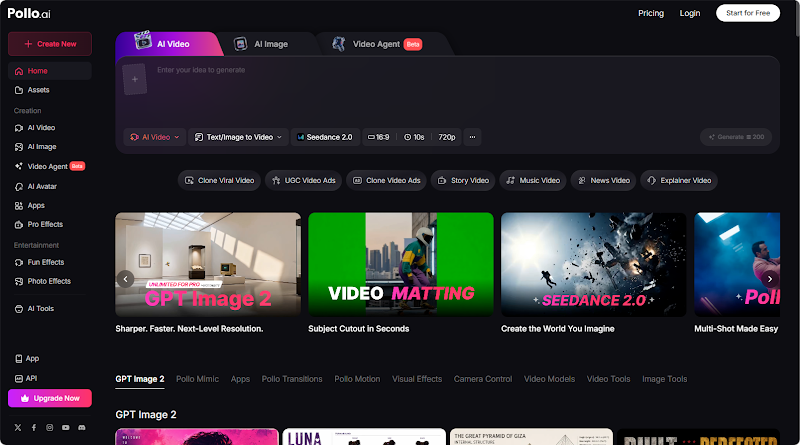
Seedance 2.5 is a multimodal AI video model for coherent clips up to about thirty seconds from text plus image, video, and audio references, with timing and storyboard-friendly direction. You feed it the stills and the ugly-but-true pan. You write second ranges instead of adjectives.
A usable brief looks like this:
“0–6s wide of the same workshop from the still, daylight through the left window; 6–16s hands on the same kettle, label readable; 16–24s three-quarter of the same person, same grey shirt; 24–30s hold on the kettle for a title — no new windows, no extra crew.”
Review identity before beauty. If second eighteen grows a new collar, fix the kit. Do not buy a higher cinematic word.
Then drop the approved insert into whatever editor you already use — CapCut, a browser timeline, even iMovie. The model does not have to be your NLE. It has to be your second unit.
Practical inserts for common one-camera days
Founder interview. You filmed a face against a wall. The insert is the office geography and a product hold, generated from room stills, so the cut can breathe without a fake rooftop.
Product demo. You filmed hands. The insert is a clean 20-second pack-to-use beat with the same SKU, so the demo can open on a world instead of a table edge.
Event recap. You filmed chaos. The insert is a 15-second “doors, crowd silhouette, signage” walk-up from stills you took at golden hour, not a grade of the noisy wide.
Course lesson. You filmed a talking head. The insert is a bench or whiteboard hold generated from your real classroom still — not a stock campus drone.
In every case the original clip remains. You are adding coverage, not pretending the interview was shot on an Alexa.
Mistakes that make the insert worse than no insert
Over-worlding. A Paris street behind a podcast recorded in a spare bedroom fools no one. Match the room you actually have.
Prompting like an editor. “Remove the microphone and fix the sky” is a cleanup request. Put cleanup in an editor. Put coverage in the generate.
Stitching eight-second orphans and calling it a master shot. If the insert needs a beginning, a middle, and a hold, generate it as one beat.
Skipping sound. A silent cinematic walk next to a crisp interview sounds like two different shows. Attach a bed you own, or cut the insert under the existing voice.
Maximalist style. Heavy rain, anamorphic flare, and a helicopter in one 20-second pass reads as a trailer for a movie you did not make. Restraint still looks more expensive.
Who this is for
Independent makers who shot once and cannot go back. Small brands whose only footage is a phone table. Educators who need a lesson to feel less like a Zoom export. YouTubers who are tired of cutting from face to face with nothing in between.
It is not for legal claims, customer testimonials you did not film, or other people’s buildings you do not have the right to invent. Real faces and real proofs stay real.
Final reflections
The gap between amateur and directed video is often one missing shot, not a missing suite of plugins. You can still polish the A-roll in any tool you like. When the day only gave you one camera, direct a short insert from the kit you already captured, keep the person and the product honest, and cut it like coverage.
Start with one hole in one interview. Write the sentence. Generate the beat. If the kettle still looks like your kettle at second twenty-four, you did not need a second unit after all — you needed a plan.
About Author