Video content dominates every digital channel today, from social media feeds to corporate websites. Yet many creators find themselves stuck with raw footage that lacks polish, contains unwanted elements, or simply doesn’t match their creative vision. The traditional fix involved expensive desktop software, steep learning curves, and hours of frame-by-frame work.
Browser-based AI tools have changed that reality completely. You can now reshape existing visual content with precision, all without downloading anything or hiring a professional editor.
Why Browser-Based Editing Is Reshaping Content Creation
The shift away from heavyweight desktop applications reflects how modern creators actually work. People edit on laptops in coffee shops, on tablets between meetings, and on phones during commutes. Tools that demand high-spec machines and complex installations no longer fit this lifestyle.
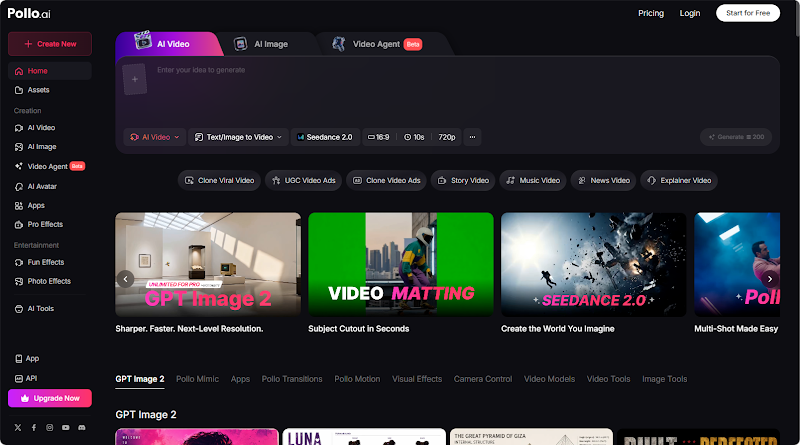
Pollo AI’s Online Video Editor addresses this gap directly, allowing creators to reshape any existing visual content with refined effects in minutes. You can remove objects, redesign scenes, change characters, transform subjects within shots, apply cinematic styles and effects, add or eliminate unwanted elements, and adjust environments and backgrounds. Everything runs in the browser, so the workflow stays light and accessible.
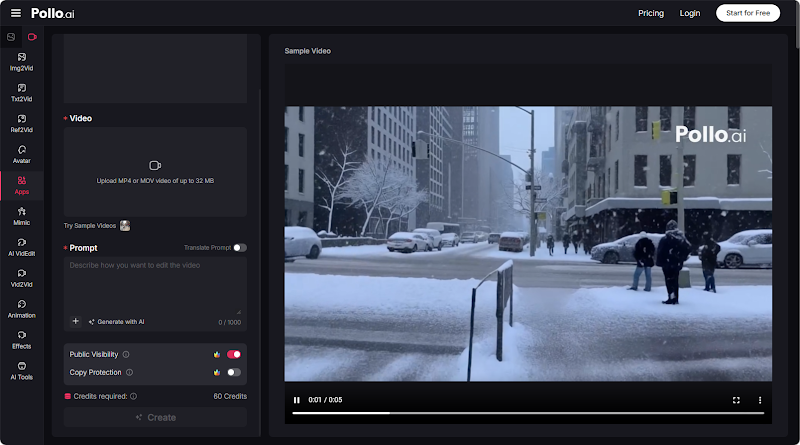
What makes Pollo AI’s Online Video Editor especially appealing for newcomers is its intuitive interface, you describe the change you want, and the AI executes the transformation without requiring keyframe knowledge or compositing skills.
How to Plan Your Video Transformation Before You Edit
Strong editing begins with clear intent. Jumping straight into changes without a plan often leads to inconsistent results.
Step 1: Review the Original Footage
Watch your raw clip from start to finish, carefully noting moments that lack impact, distracting elements like background clutter or shaky camera work, and sections where the tone or pacing fails to align with your intended narrative arc.
Step 2: Define the Desired Outcome
Clarify the core message and emotional impact you want the final video to deliver. A travel vlog might aim for wanderlust and joy, while a product demo needs clarity and persuasion—write down the exact tone you want viewers to experience.
Step 3: List Specific Edits Required
Translate your creative vision into actionable, concrete changes. Examples include removing a parked car in the background, adjusting color grading to mimic warm golden hour lighting, or replacing a cloudy sky with a vibrant, clear blue one to enhance mood.
Step 4: Establish a Style Reference
Curate two or three videos that embody the aesthetic you’re targeting, paying attention to editing rhythms, color palettes, and shot compositions. These references will help you articulate stylistic goals with precision when guiding AI editing tools.
Step 5: Set a Realistic Timeline
Recognize that even with AI-powered tools, quality editing requires intentional focus. Schedule dedicated, uninterrupted sessions for different stages of the process rather than attempting to rush through multiple revisions in a single sitting.
Practical Editing Techniques for Common Scenarios
Most video projects share recurring challenges. Mastering solutions for these situations builds a versatile skill set quickly.
Removing background distractions ranks among the most requested edits. A clean frame directs attention to your subject, eliminating photobombers, signage, or random clutter that sneaks into shots. Pollo AI’s Online Video Editor handles this through simple text instructions, no rotoscoping required.
Scene transformation comes next in popularity. Shifting an indoor interview to a sunset rooftop, or turning daytime street footage into a neon nighttime scene, opens creative possibilities that physical reshoots cannot match economically.
Enhancing Output Quality With Complementary Tools
After your core edits are complete, post-production polish often determines whether viewers stay engaged. This is where additional AI tools strengthen the final product.
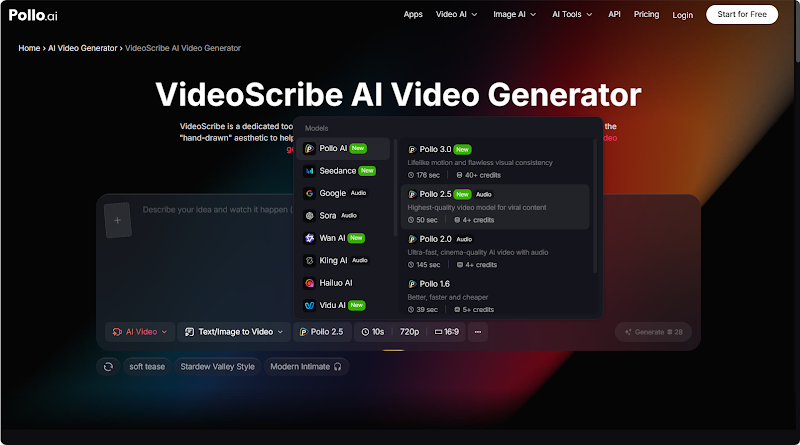
VideoScribe AI Video Generator brings storytelling power through visual narration that helps audiences retain information. Its core features include traditional whiteboard simulation that recreates live hand-drawn animation to capture viewer attention, an educational resource pack with graphic templates designed for training and academic settings, and a concept simplification engine that turns complex descriptions into clear explainer videos. For creators producing tutorials or training material, this approach pairs naturally with edited footage.
The VideoScribe AI Video Generator also automatically upscales resolution and improves overall video quality, which becomes valuable when you need to combine clips of varying source quality into a single coherent project.
Avoiding Mistakes That Sabotage Your Final Cut
Over-editing kills authenticity. Layering too many style effects, adding excessive transitions, or applying heavy filters often makes videos feel artificial. Restraint produces stronger results than maximalism in most cases.
Inconsistent pacing also damages viewer retention. Long static shots interspersed with rapid cuts feel jarring. Aim for rhythmic flow that matches the energy of your subject matter.
Skipping audio review is another common oversight. Viewers forgive imperfect visuals more readily than poor sound, so always check audio levels before finalizing your project.
Real-World Use Cases Across Different Creator Types
Real estate agents transform property tour footage by replacing overcast skies with sunshine and removing parked cars from driveways. Small business owners refresh outdated promotional clips by swapping backgrounds and updating product placements. YouTubers fix lighting issues retroactively, saving entire shoots that would otherwise need reshooting.
Educators benefit from combining edited footage with explainer animations from VideoScribe AI Video Generator, building lessons that hold student attention through dynamic visual storytelling.
Final Reflections on Modernizing Your Video Workflow
The barrier between amateur and professional video has dissolved faster than anyone predicted. With Pollo AI’s Online Video Editor handling complex transformations through plain language prompts, and VideoScribe AI Video Generator producing engaging explainer content, independent creators now wield production capabilities that rivaled major studios just a decade ago. Start small, experiment freely, and let the tools amplify your storytelling instincts.
About Author