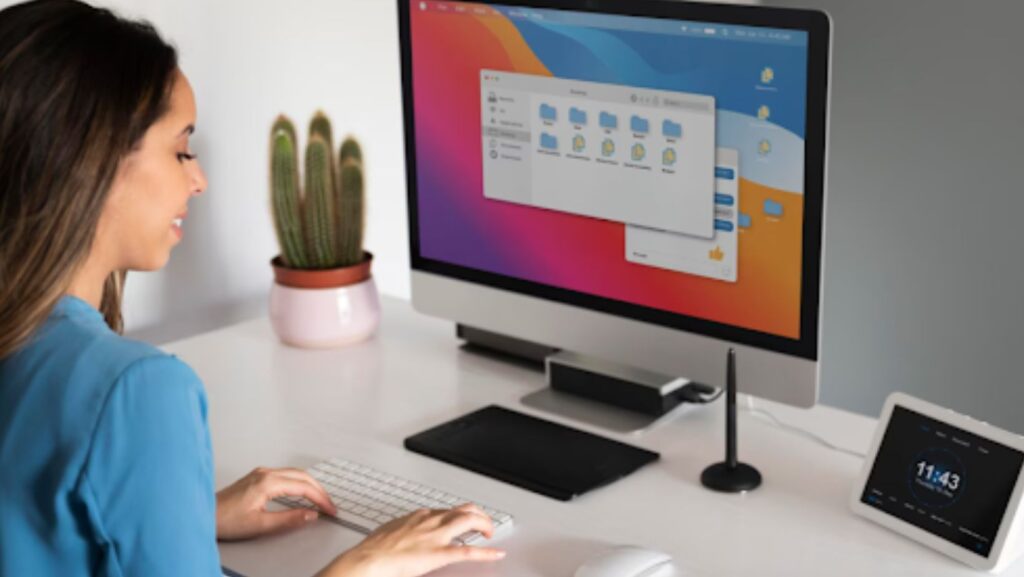
Microsoft has been at the forefront of operating system development for decades, delivering platforms that evolve to meet both personal and professional computing needs. Windows 10, released in 2015, provides a familiar interface, reliable performance, and broad software compatibility. Windows 11, introduced in 2021, brings a refreshed design, enhanced multitasking tools, and improved security, offering a more modern computing experience.
Understanding the differences between Windows 10 vs Windows 11 is essential for individuals and businesses planning upgrades. Each system has distinct advantages, and selecting the right version can maximize productivity, performance, and overall user satisfaction.
Understanding Windows 10
Windows 10 was designed as a flexible operating system that balances innovation with familiarity. Its interface combines elements from previous Windows versions, featuring the Start Menu, virtual desktops, and Cortana for voice-assisted navigation. Windows 10 prioritizes stability, compatibility with a wide range of software, and regular updates to address security vulnerabilities and enhance functionality.
Despite its strengths, Windows 10 has certain limitations, including frequent updates that may interrupt workflow and occasional performance slowdowns on older hardware. Nonetheless, it remains a dependable choice for users who value reliability and continuity.
Understanding Windows 11
Windows 11 represents a significant evolution in Microsoft’s operating system design. It introduces a modern, streamlined interface with a centered Start Menu, rounded corners, and improved animations. Multitasking is enhanced through Snap Layouts, virtual desktops, and integrated Microsoft Teams for communication. The system also supports touch and pen input more effectively, and it offers enhanced performance and security compared to Windows 10.
While Windows 11 delivers a more polished and productive experience, it comes with higher hardware requirements and potential compatibility challenges with older devices and software. Users should carefully evaluate these factors before upgrading.
Comparative Analysis of Features
User Interface
Windows 10 provides a familiar, functional interface with customizable elements, making it comfortable for longtime users. Windows 11 offers a fresh, modern look with a focus on clean design and enhanced workflow through Snap Layouts, improved virtual desktops, and a visually cohesive environment.
Security Features
Both operating systems offer strong security measures, but Windows 11 adds hardware-based protections with TPM 2.0, enhanced Windows Hello options, and improved defense against malware and ransomware. Windows 10 remains secure but relies primarily on software-based protections.
Performance and Speed
Windows 11 is optimized for modern hardware, offering faster boot times, improved memory management, and greater system responsiveness. Windows 10 performs well on older machines and remains a practical choice for users with legacy systems.
Software Compatibility
Windows 10 maintains broad compatibility with older software and legacy applications, which can be crucial for businesses and specialized workflows. Windows 11 supports most modern applications but may face issues with outdated software or peripherals.
Hardware Requirements
Windows 11 requires newer processors, TPM 2.0 support, and higher system specifications, which may limit adoption for some users. Windows 10 is more forgiving, running efficiently on older hardware while still providing a reliable experience.
Pros and Cons
Windows 10
Windows 10’s strengths include a familiar interface, compatibility with a wide range of devices and software, and dependable performance on older hardware. Its drawbacks include frequent updates that can disrupt work, occasional privacy concerns, and fewer modern productivity features compared to Windows 11.
Windows 11
Windows 11 offers a sleek interface, improved security, enhanced multitasking, and modern collaboration tools. However, higher system requirements, potential software compatibility issues, and a learning curve for users accustomed to Windows 10 may present challenges.
Transitioning from Windows 10 to Windows 11
Upgrading requires careful consideration of system requirements, software needs, and workflow demands. Preparing in advance with data backups and hardware checks can ensure a smooth transition. Businesses may benefit from a gradual rollout, testing Windows 11 on select devices before full implementation.

Conclusion
Comparing Windows 10 vs Windows 11 highlights that each operating system caters to different user needs. Windows 10 provides stability, broad compatibility, and reliable performance on older devices, while Windows 11 delivers a modern interface, enhanced productivity tools, and stronger security for newer systems.
Choosing between the two depends on hardware capabilities, software requirements, and personal preferences. For users seeking modern features and improved productivity, Windows 11 offers a compelling upgrade. Those prioritizing stability and legacy compatibility may find Windows 10 to be the most practical option. Understanding these differences allows users to make informed decisions that maximize performance, security, and usability in their computing environment.
About Author